Collection CoPilot
What Does Collection CoPilot Do?
When adding new products to Shopify, it’s easy to overlook collections they should belong to. Later, figuring out which products are missing from which collections can become a frustrating and time-consuming task. That’s where Collection CoPilot comes in.
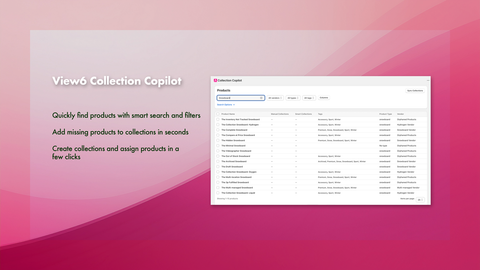
The Collection CoPilot app displays your products in a powerful grid view, making it easy to filter and refine products using criteria such as Vendor, Product Type, and Tags. Advanced AND / OR / NOT filtering helps you quickly narrow down exactly the products you want to review.
Once you’ve filtered your products, you can customise the grid to display the data that matters most - including columns like “Manual Collections”.
With everything visible in one place, it becomes easy to spot inconsistencies between products and their assigned collections.
When you find an issue, you can instantly add products to existing collections or create and assign new collections directly from the grid view - no jumping between pages required.
Get the Collection CoPilot app
Key features
- Quickly find products with smart search and filters
- Add missing products to collections in seconds
- Create collections and assign products in a few clicks

How to Use Collection CoPilot
When the app loads, click the SYNC COLLECTIONS button in the top-right corner to pull in the latest product and collection data from Shopify.
Once the sync is complete, your products will appear in the grid view.
To narrow down the products displayed, use the available filters such as Status = Active, Vendor, Product Type, or Tags. You can also use the search box to search product titles and combine filters using advanced AND / OR / NOT logic for more precise results.
With your filtered product list displayed, you can quickly scan the grid to identify inconsistencies in collection assignments.
To update products, simply tick the checkbox beside one or more products and use:
- ASSIGN TO COLLECTION → USE EXISTING COLLECTION to search for and add products to an existing collection
- ASSIGN TO COLLECTION → CREATE NEW COLLECTION to create a brand-new collection and assign products to it at the same time
If a product has been assigned to the wrong collection, you can easily remove it by clicking the x beside the collection name directly within the grid.
Collection CoPilot FAQS
Can I update more than one product at a time?
Yes. You can select multiple products directly from the grid and add them to existing collections or newly created collections in a single action.
What if the collection I need doesn’t exist yet?
No problem. You can create a brand-new collection directly within the app and immediately assign products to it.
Why isn’t my new collection showing online?
Collections created by the app are not automatically added to your Shopify sales channels. This gives you the opportunity to add banners, images, descriptions, and menu links before making the collection live on your storefront.
Do I need both the Orphan Product Manager and Collection CoPilot apps?
No — each app serves a different purpose.
Orphan Product Manager helps identify products that are either:
- not assigned to any collections, or
- only assigned to the default “All” collection.
Collection CoPilot provides a visual way to review, manage, and update product-to-collection assignments across your store.
My store has a large catalogue — how can I quickly find specific products?
Collection CoPilot includes powerful filtering tools for:
- Vendor
- Product Type
- Tags
You can also use advanced search with AND / OR / NOT conditions to quickly narrow down products.
Can I remove products from the wrong collections using the app?
Yes. Simply click the x next to a collection name within a product row to instantly remove that product from the collection.
Introduction to Shopify Collection Copilot App.
View6 Shopify collection copilot app - add new collections overview
Overview to the Shopify Collections Copilot App - Why we built it!
Remove Products from Collections with the Shopify Collection Copilot App.